If the last time you looked at Copilot in Business Central it was a “write me a product description” feature, it’s worth another look.
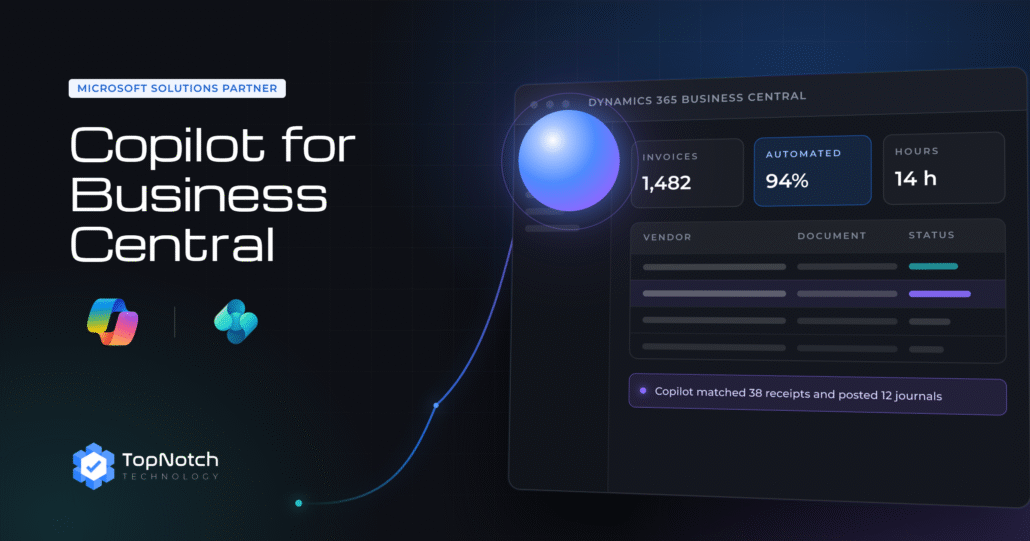
As of the 2026 release wave, Copilot ships with autonomous agents, a Payables Agent, a Sales Order Agent, and the ability to build your own, that read documents, match them against your ERP data, and prepare transactions for a human to approve. That’s a different category of tool than a writing assistant, and it changes what “implementing Copilot” actually means for a technical team.
This isn’t a feature tour. It’s a working guide: what these agents do, how to turn them on, and where they still need a human in the loop.

Table of contents
Empower Your Business Central with Copilot (How-To)
Getting Copilot running isn’t a big-bang project, it’s a sequence of small, reversible switches:
- Confirm licensing first. Check your tenant’s Copilot credit plan before rollout, agent capacity is metered separately from core features.
- Turn on one capability at a time. Start with bank reconciliation or sales quotes. Pilot with one team before rolling out further.
- Set data boundaries. Agents inherit your existing permission sets, they don’t bypass them.
- Assign an agent to a process. Point the Payables Agent at your AP inbox, or the Sales Order Agent at your order flow.
- Run it in shadow mode. Require approval on every transaction for a few weeks. Watch the task pane, not just the output.
- Graduate to auto-approval. Once accuracy holds for a document type, narrow human review to exceptions only.
Benefits of Using Copilot for Business Central
The value here isn’t “AI is neat”, it’s specific and measurable:
- Fewer manual matches. Copilot’s reconciliation and invoice-matching logic clears what your old rules-based matching used to kick back.
- No second security layer. Agents run inside Business Central’s own permission model, governance stays where it already is.
- Full auditability by design. Every agent action is logged with a “created by AI” marker and a step-by-step timeline.
- A kill switch that works. Agent activity pauses instantly at the environment level, critical for testing, non-negotiable in production.
- Extensible without a rebuild. With the MCP server, other AI clients can connect to BC data without a new integration layer each time.
The Payables Agent
The Payables Agent reads incoming vendor invoices, matches them against purchase orders and vendor records, and stages the transaction for approval. In the 2026 wave 1 update, it also auto-categorizes processed emails, so a shared AP inbox doesn’t turn into a guessing game about what’s already been handled.
For AP teams, that’s the difference between keying in invoices and reviewing a small queue of exceptions the agent flagged.
Build and Manage Your Own Agents
2026 wave 1 opened up custom agent creation directly inside Business Central, no need to spin up a separate Copilot Studio project for every workflow. Your team can design an agent scoped to a process specific to your business, a returns-processing agent, a custom approval-routing agent, using the same runtime, permissions, and audit trail as the built-in ones.
- Budget for credits. Custom agents consume Copilot credits on a prepaid or pay-as-you-go basis.
- Governance is automatic. Tenant isolation and human-in-the-loop approval are enforced by the runtime, not something you build yourself.
- It plugs into more than BC. With MCP support, other AI clients can reach an agent you build, useful if Copilot Studio or another assistant needs to act on BC data too.
Where TopNotch Technology Fits In
Enabling a Copilot capability in a sandbox is a five-minute task. Getting it production-ready, right permission sets, the right document scope, an approval workflow your finance team actually trusts, and a custom agent built for the one process that’s unique to your business, is the part that takes real ERP and AI implementation experience.
As a Microsoft Solutions Partner working with enterprises across the UAE, Saudi Arabia, Qatar, and Kuwait, TopNotch Technology scopes and implements exactly this: auditing your current Business Central setup, piloting the right Copilot capabilities in the right order, and building custom agents where the out-of-the-box ones don’t cover your process.
Want a Copilot readiness assessment for your Business Central environment?
Book a call with TopNotch Technology, we’ll tell you which agents are worth turning on first, and what it takes to get there.