Power Apps vs Power Pages vs custom Azure: cost per user decides
Power Apps vs Power Pages, or a custom app on Azure? A client recently asked us to plan a compliance platform for home-care agencies: 5 to 15 agencies at launch, 50 or more within two years, and around 5,000 users as they grow.
All three Microsoft options could build it. Only one made sense at 5,000 users. The deciding factor was not features. It was how each option charges for every extra person who signs in.
If you are choosing between Power Apps, Power Pages and a custom app on Azure, these are the questions that decide it, and where each option stops working.
Option 1: Power Apps on SharePoint, inside your Microsoft 365 tenant
Power Apps and Power Automate running on SharePoint lists is the fastest way to put a working tool in front of people.
- Best for: internal teams, or a short paid pilot with a few external organisations
- Time to a first version: about 8 to 10 weeks for a working pilot
- Cost: lowest, often using licences you already hold
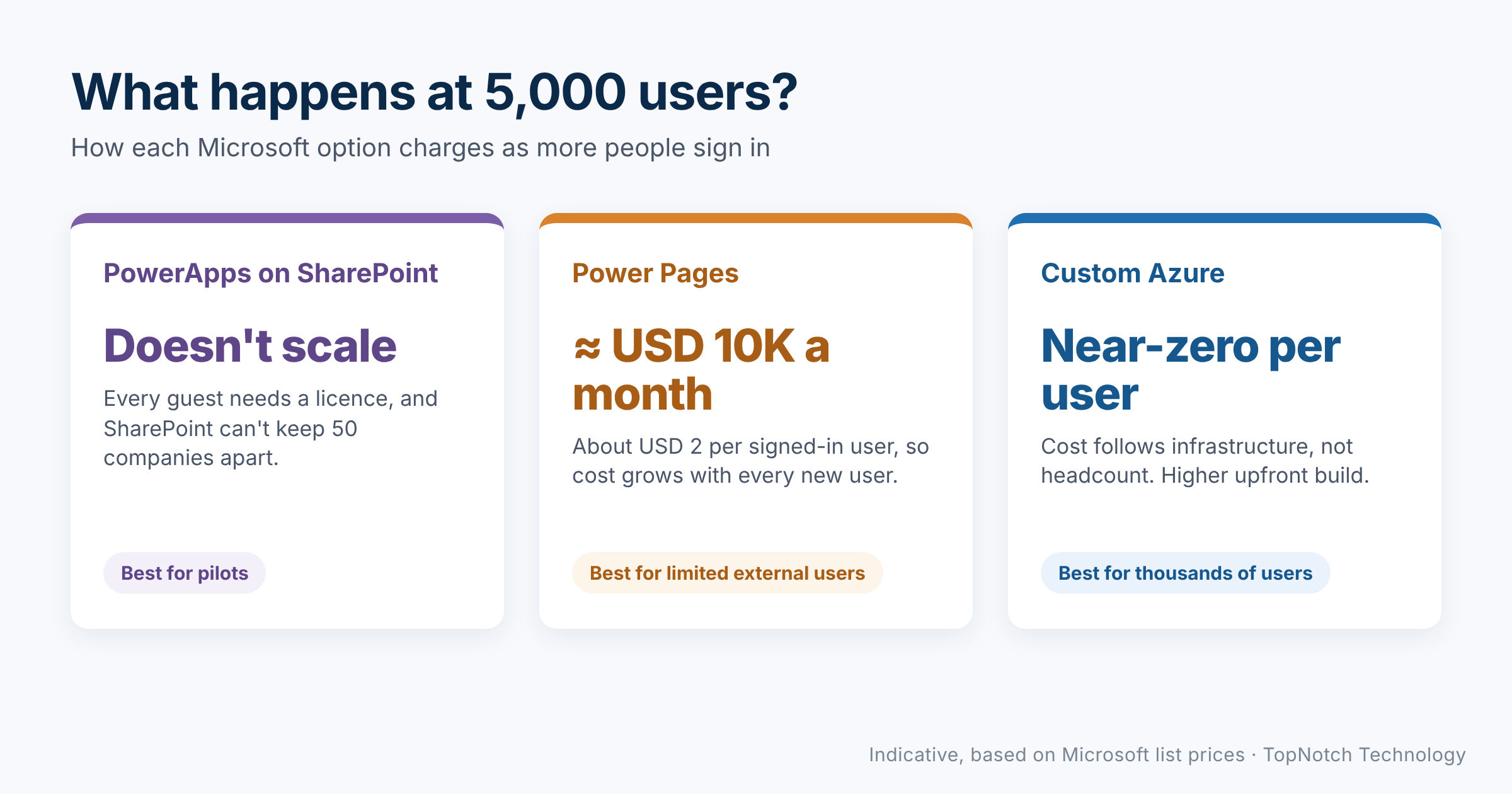
- Where it stops: every guest user needs a licence with Power Apps rights; SharePoint cannot safely keep 50 separate companies apart; list and automation limits appear at scale; no offline mobile, self-service sign-up or billing
Option 2: Power Pages on Dataverse
Power Pages gives you a branded, mobile-friendly portal for external users, with data in Dataverse and back-office apps for your team.
- Best for: a portal with a limited number of external users, or an internal application that needs a proper database
- Time to a first version: about 4 to 5 months for a platform of this size
- Strengths: a real database, security roles, audit logging, Entra External ID sign-in with MFA, all inside the Microsoft platform
- Where it stops: signed-in users are charged per site. At Microsoft’s list price that is about USD 200 per 100 users a month, so roughly USD 10,000 a month at 5,000 users, before any discount
Option 3: A custom application on Azure
A purpose-built product on Azure: web app, native mobile app and API, with each record tied to its own organisation.
- Best for: a commercial platform, or anything heading for thousands of users
- Time to a first version: about 6 months
- Strengths: cost follows infrastructure, not user numbers; the strongest separation between organisations; offline mobile use; sign-up, billing, more languages and regions
- Where it stops: the largest upfront investment, and it needs a long-term partner for support and security
Power Apps vs Power Pages vs custom Azure, side by side
| Power Apps on SharePoint | Power Pages on Dataverse | Custom Azure | |
|---|---|---|---|
| Time to first version | 8–10 weeks | 4–5 months | About 6 months |
| Upfront effort | Low | Medium | Highest |
| Cost of each extra user | A licence per guest | About USD 2 per user a month | Close to zero |
| Separation between organisations | Fragile | Good | Strongest |
| Offline mobile use | No | Limited | Yes |
| Self-service sign-up and billing | No | Awkward | Yes |
| Main risk | Must be rebuilt later | Cost grows with users | Larger upfront investment |
Figures are indicative, based on Microsoft list prices at the time of writing.
Power Apps vs Power Pages: four questions that decide it
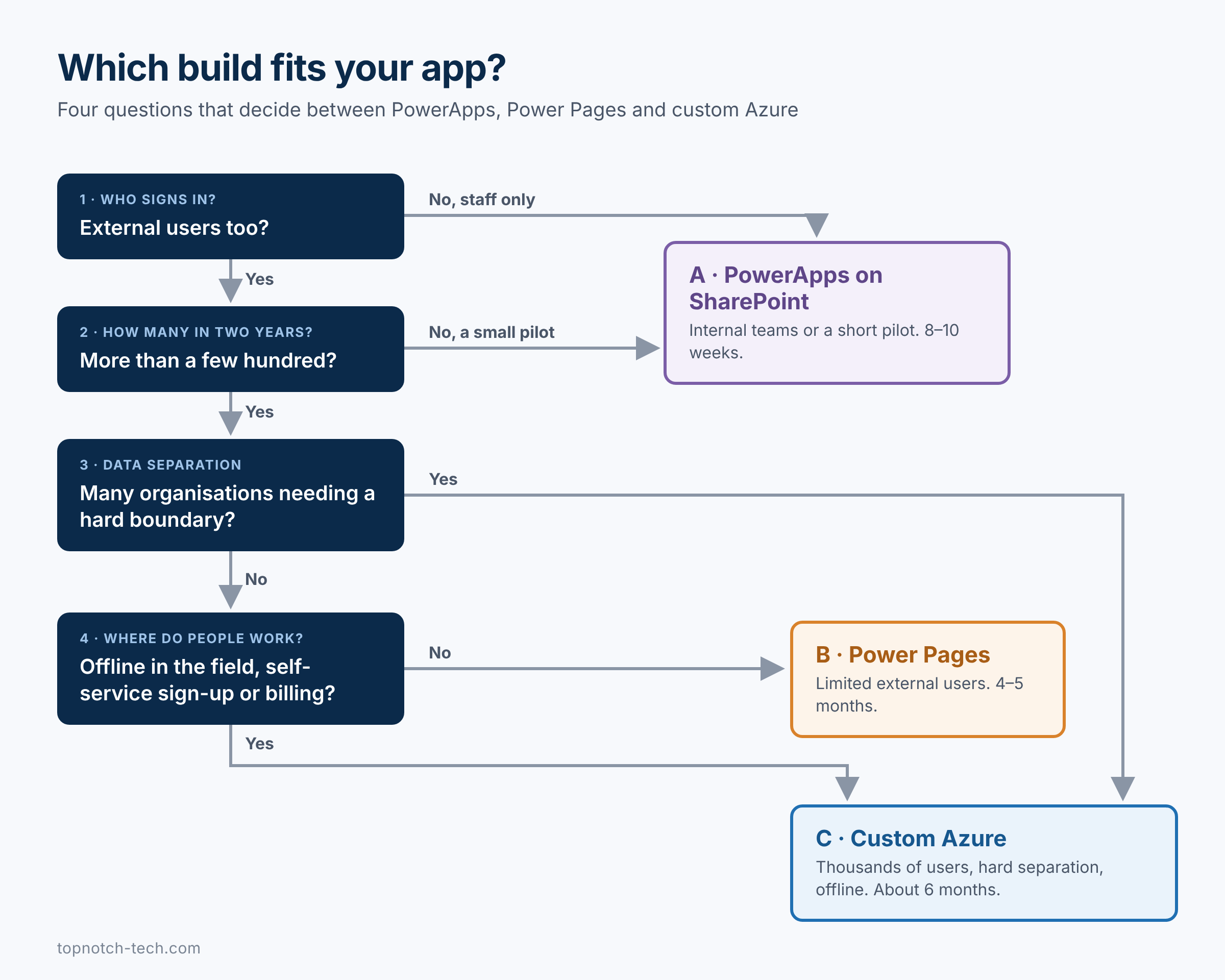
- Who signs in? Only your staff, or customers, suppliers and partners too?
- How many, in two years? Plan for the number you expect, not the number at launch.
- How separate must each customer’s data be? A shared list is not the same as a hard boundary.
- Where do people work? Field teams in low-signal areas need an app that works offline.
You don’t always have to pick just one
Power Apps vs Power Pages is not always an either-or choice. For the home-care platform, we recommended building on Azure and running a short Power Apps pilot alongside it. The pilot put a working tool in front of real agencies within weeks. Everything it taught us went into the main build, and because both used the same data structure, moving agencies across was a migration, not a redesign.
Explore our Power Apps development and Power Pages development services, or browse our case studies to see how we’ve built them for clients across the GCC.
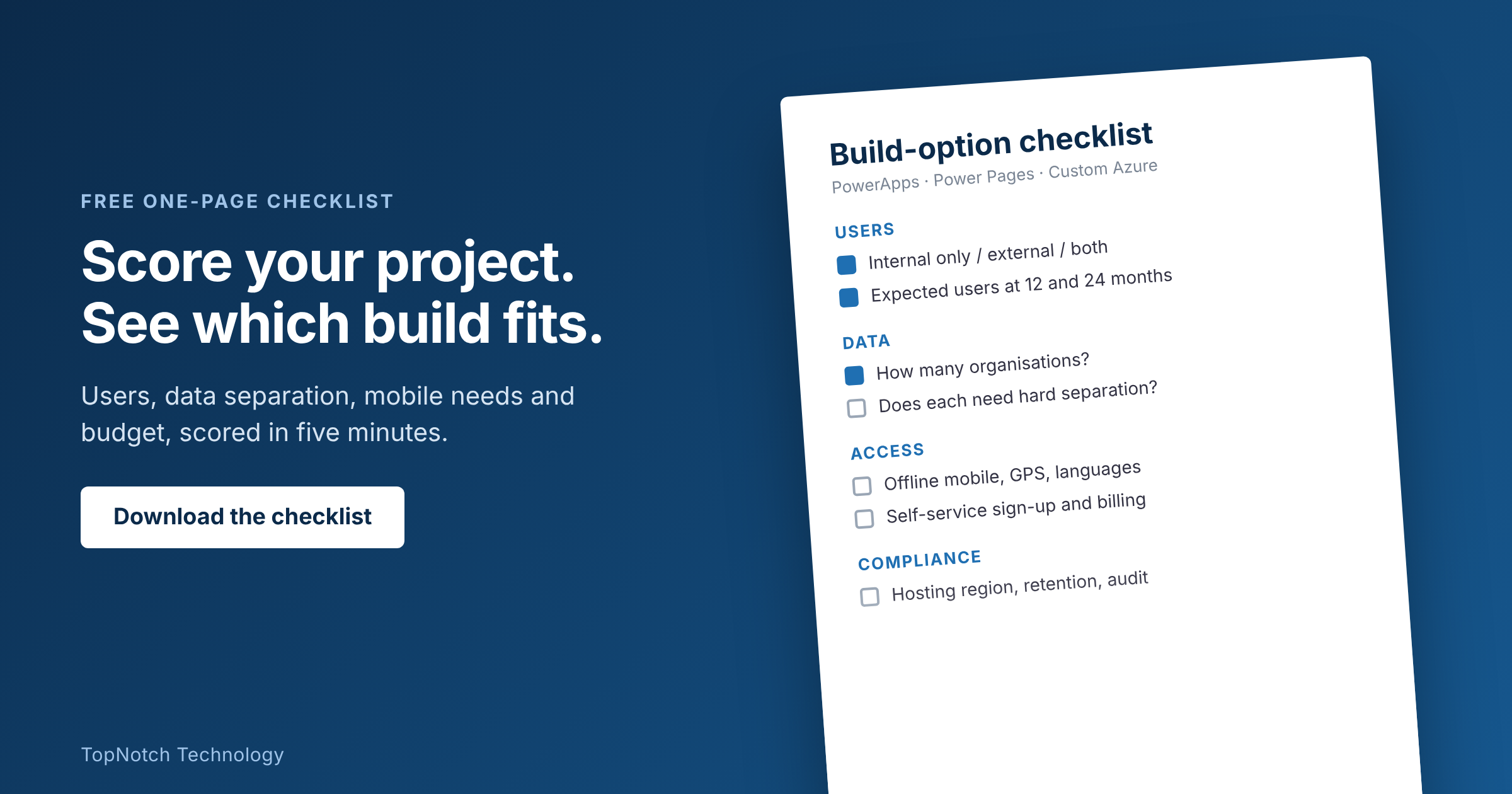
Get the build-option checklist
Download our one-page checklist to score your project on users, data separation, mobile needs and budget, and see which option fits.
Prefer to talk it through? Tell us about the app or portal you’re planning and TopNotch will recommend the build that fits.